
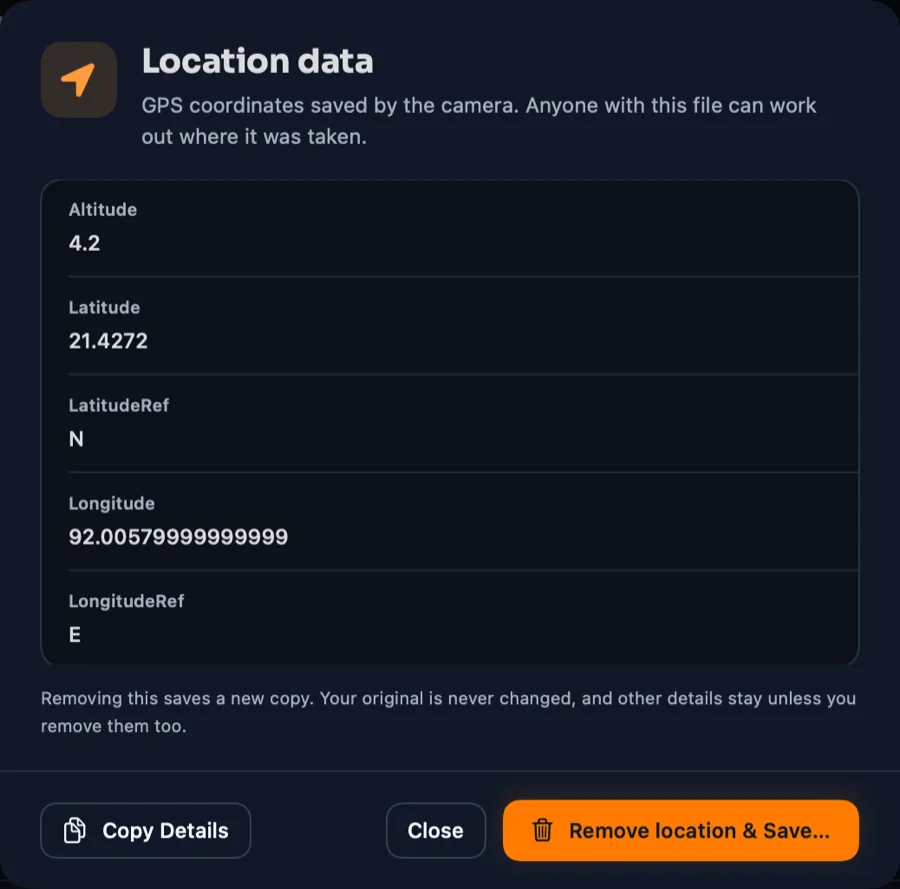
Exact GPS location
Coordinates saved by your camera can reveal where you live, work or travel.
MyPixelGuard shows what's hiding inside your photos, removes it, blurs what shouldn't be seen, and gets every image ready to share — all on your own computer, with no internet needed. Nothing is uploaded. Ever.
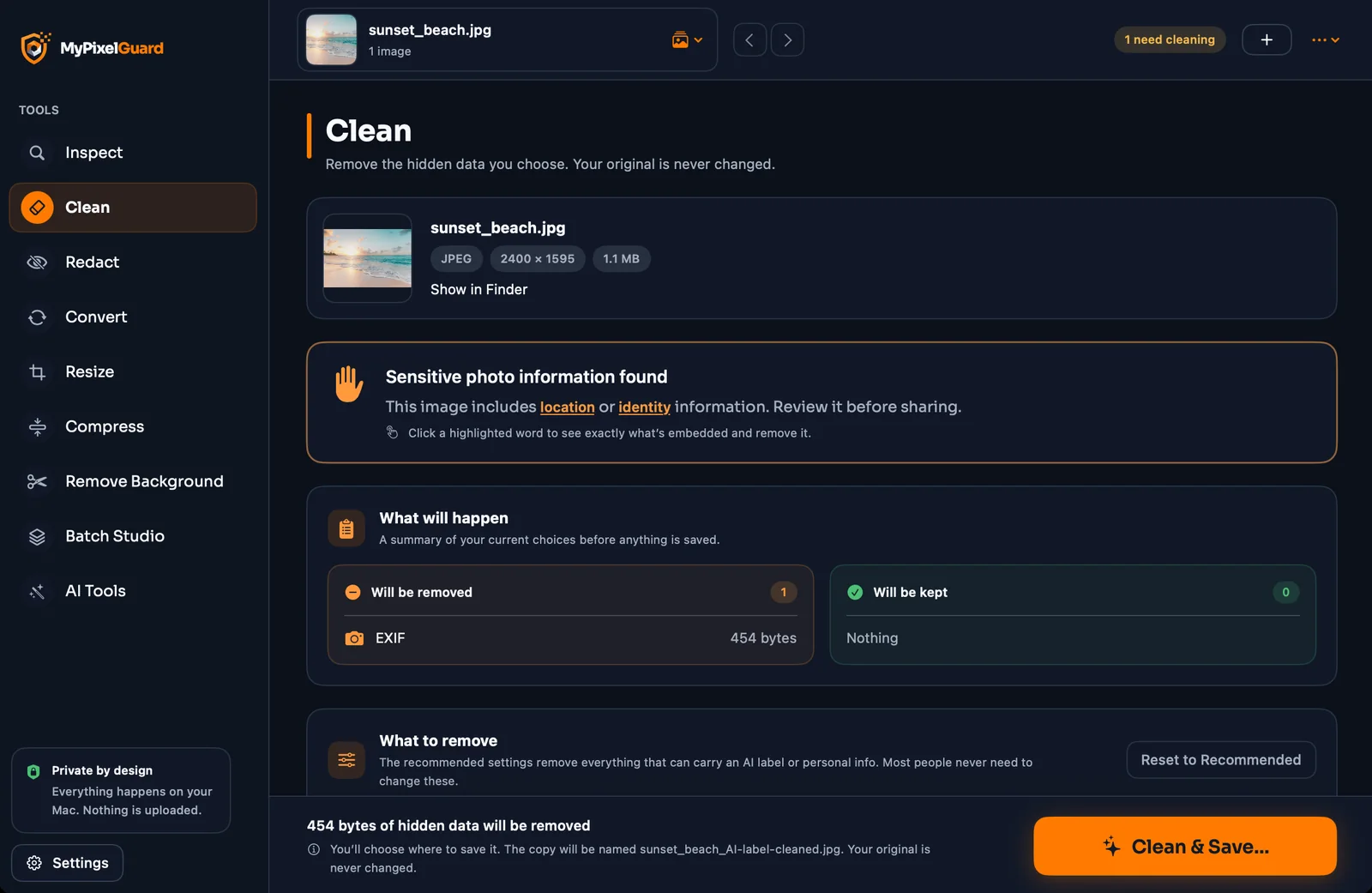
A single picture can carry your exact location, your phone model, the time you took it, your name — and sometimes labels that mark it as AI-made. Anyone you share it with can read all of it.
Coordinates saved by your camera can reveal where you live, work or travel.
The make, model and lens of the device that took the photo.
Author, owner and copyright text stored inside the file.
C2PA Content Credentials, XMP tags and edit history that platforms read.
Everything you need before you share a picture, in one calm, focused app.
Open any image and MyPixelGuard reads every layer of hidden data, then explains it in plain language — no hex dumps, no guesswork.
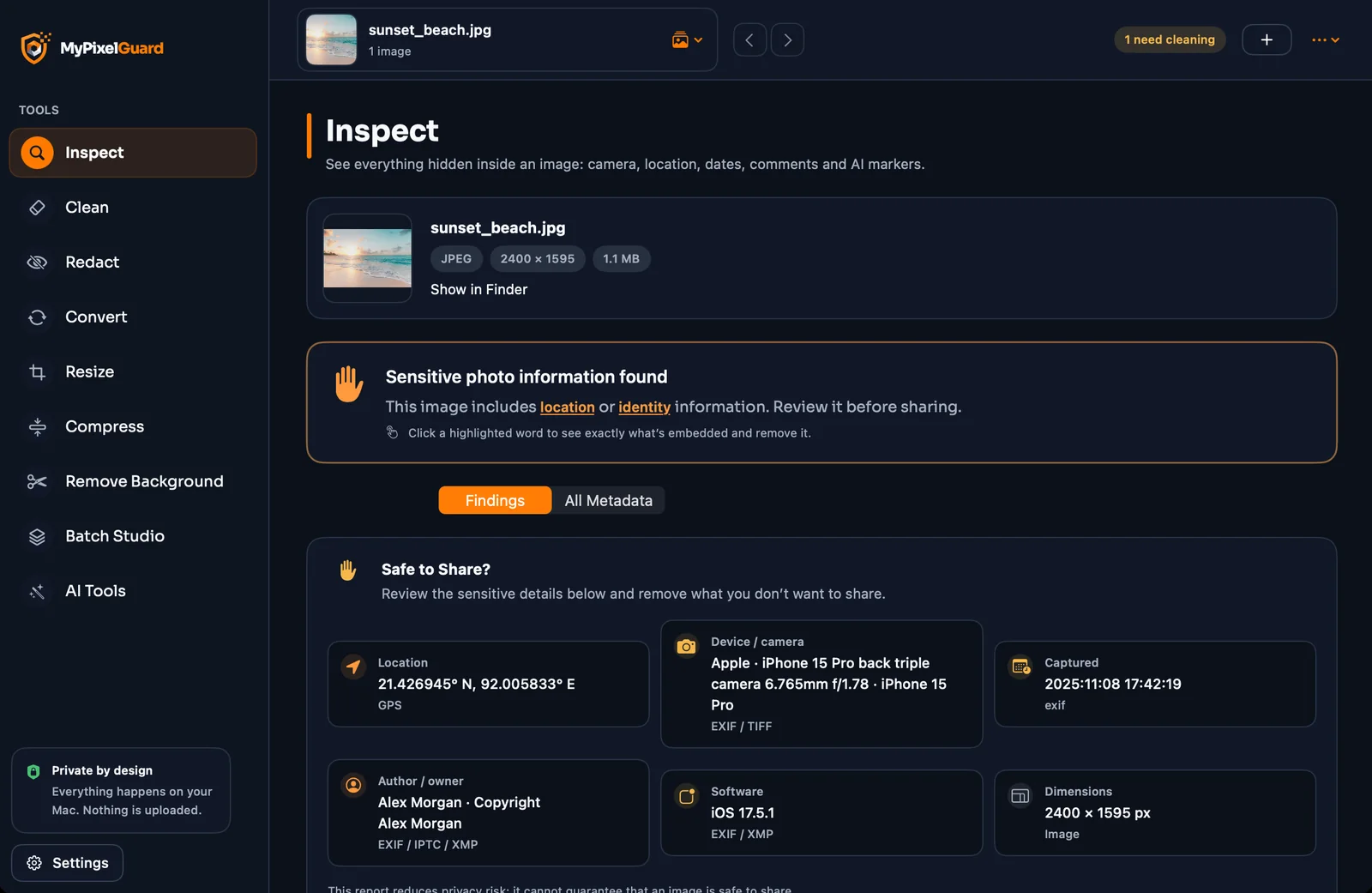
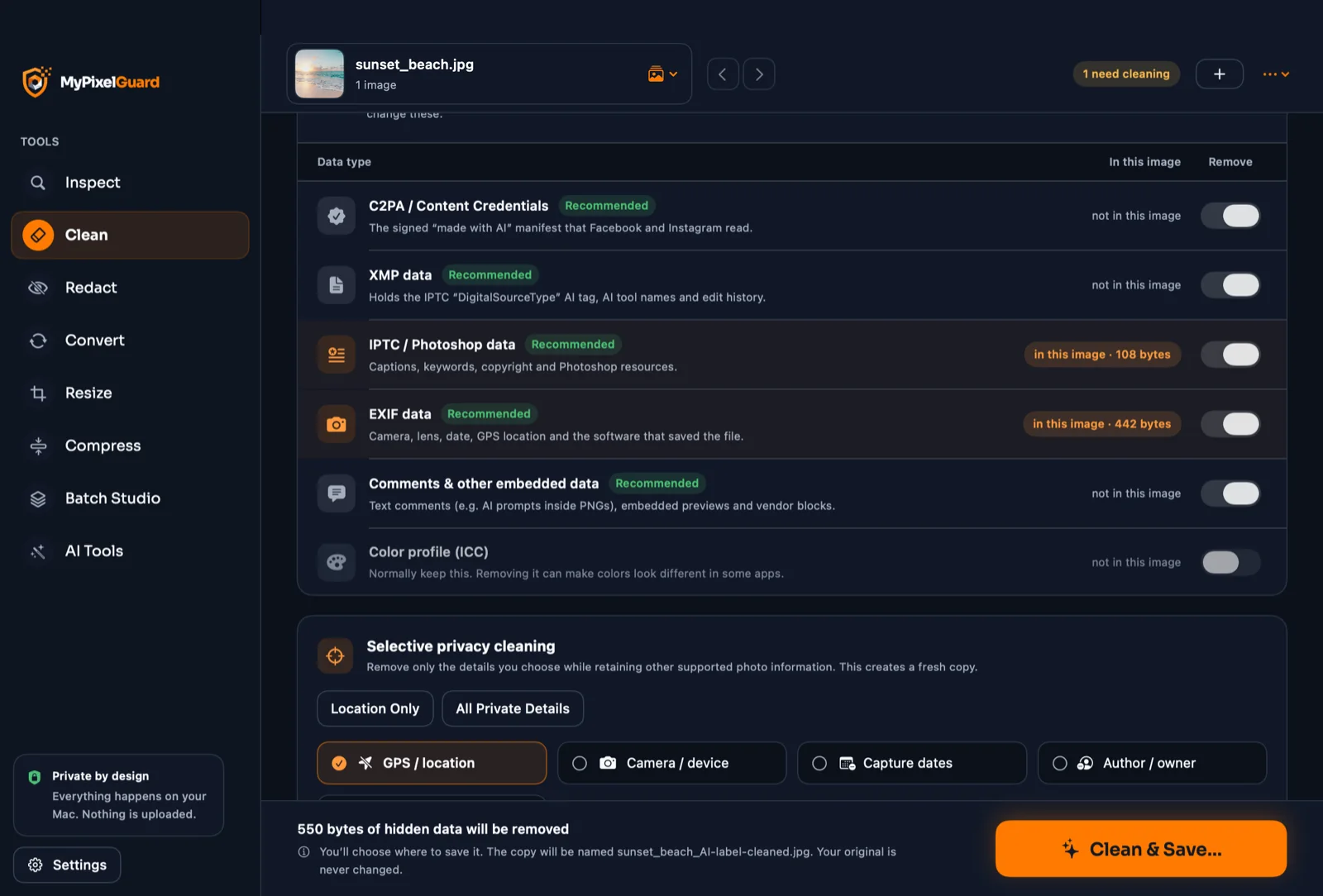
Spot sensitive details, click to see exactly what's inside, then remove just that — or everything. Your original is never touched.
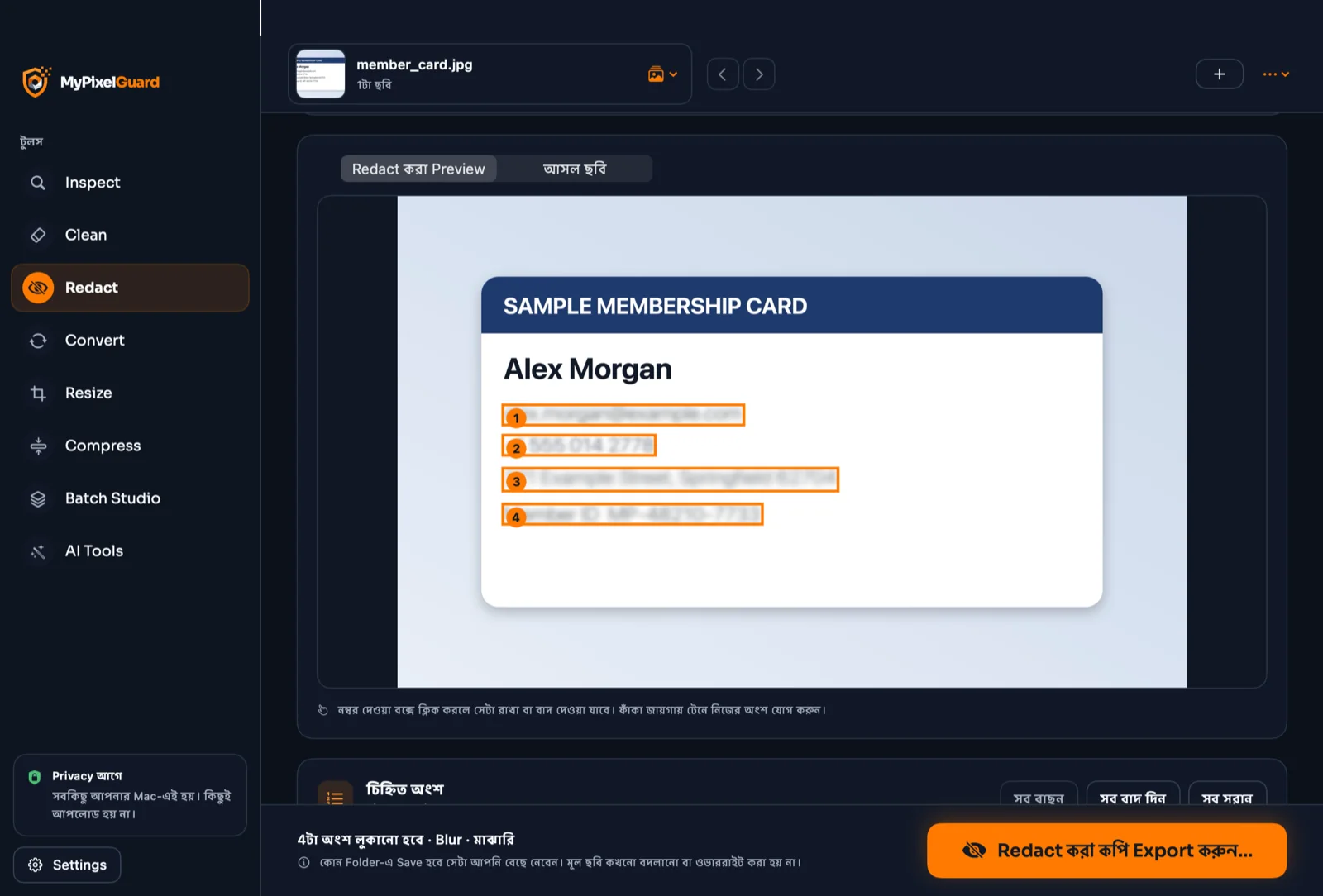
Faces, emails, phone numbers, addresses, ID numbers. MyPixelGuard finds them on your device and shows you the exact result before you export.
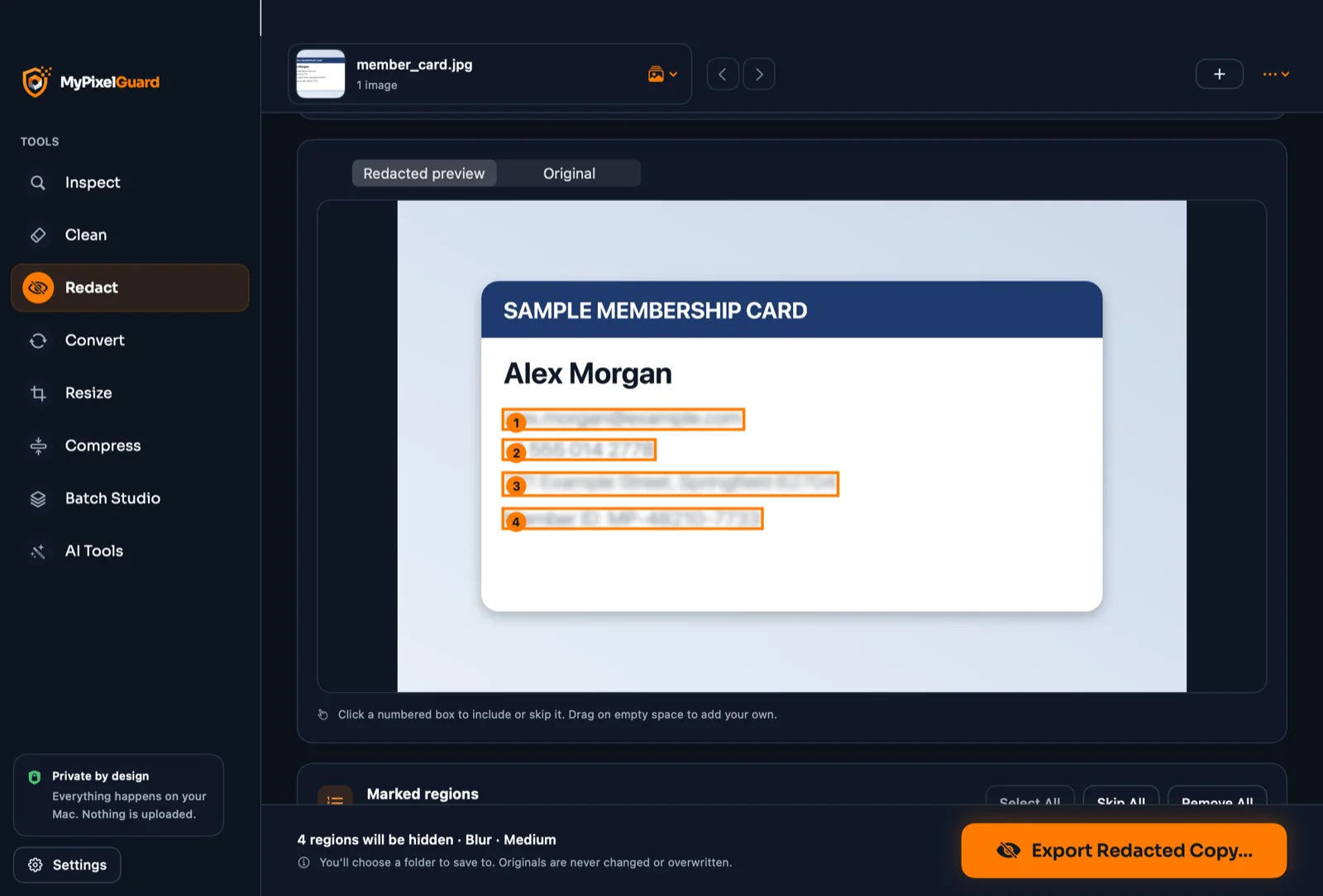
Original on the left, redacted copy on the right. This is the copy you'll share — and exactly what you'll get when you export.
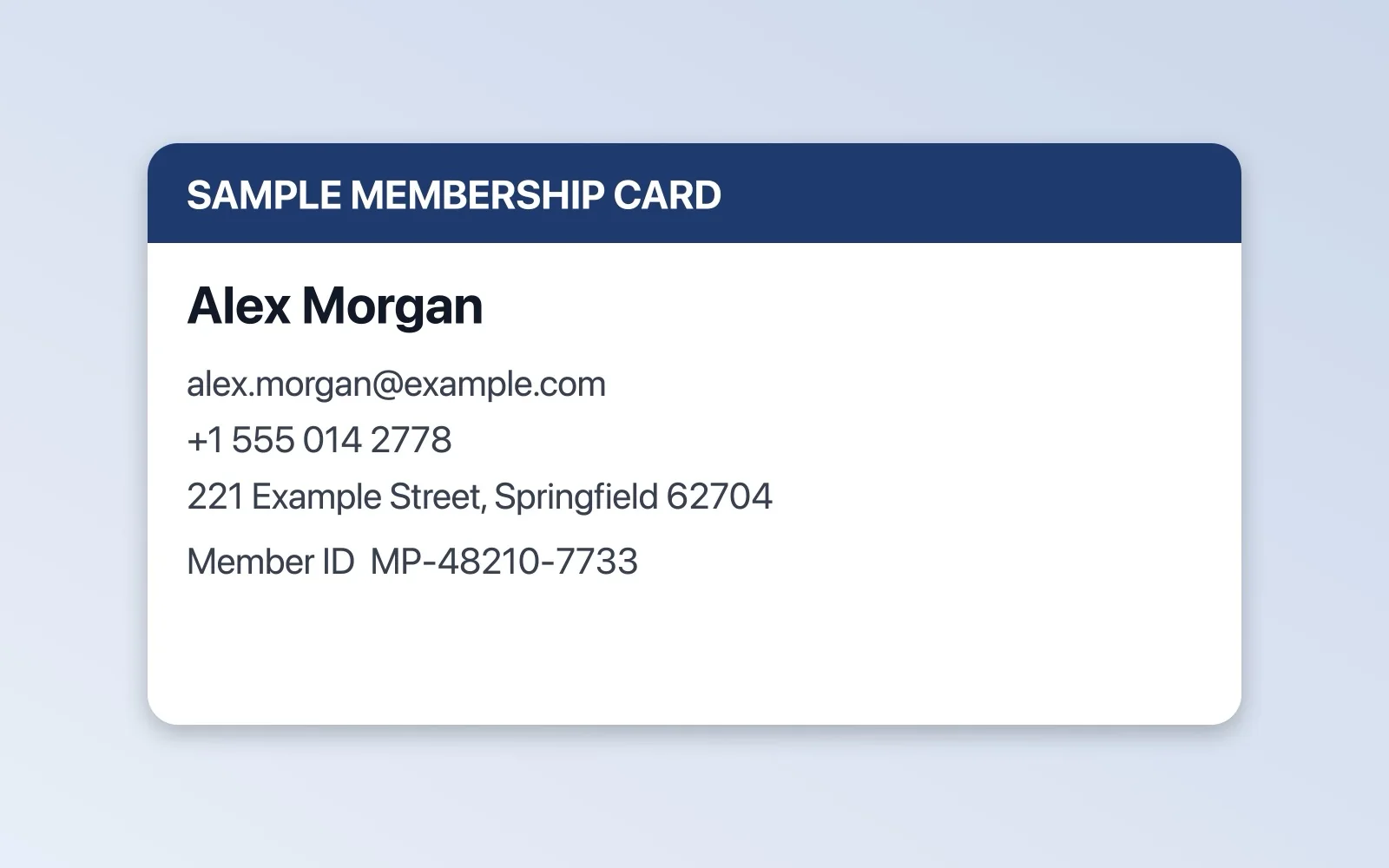
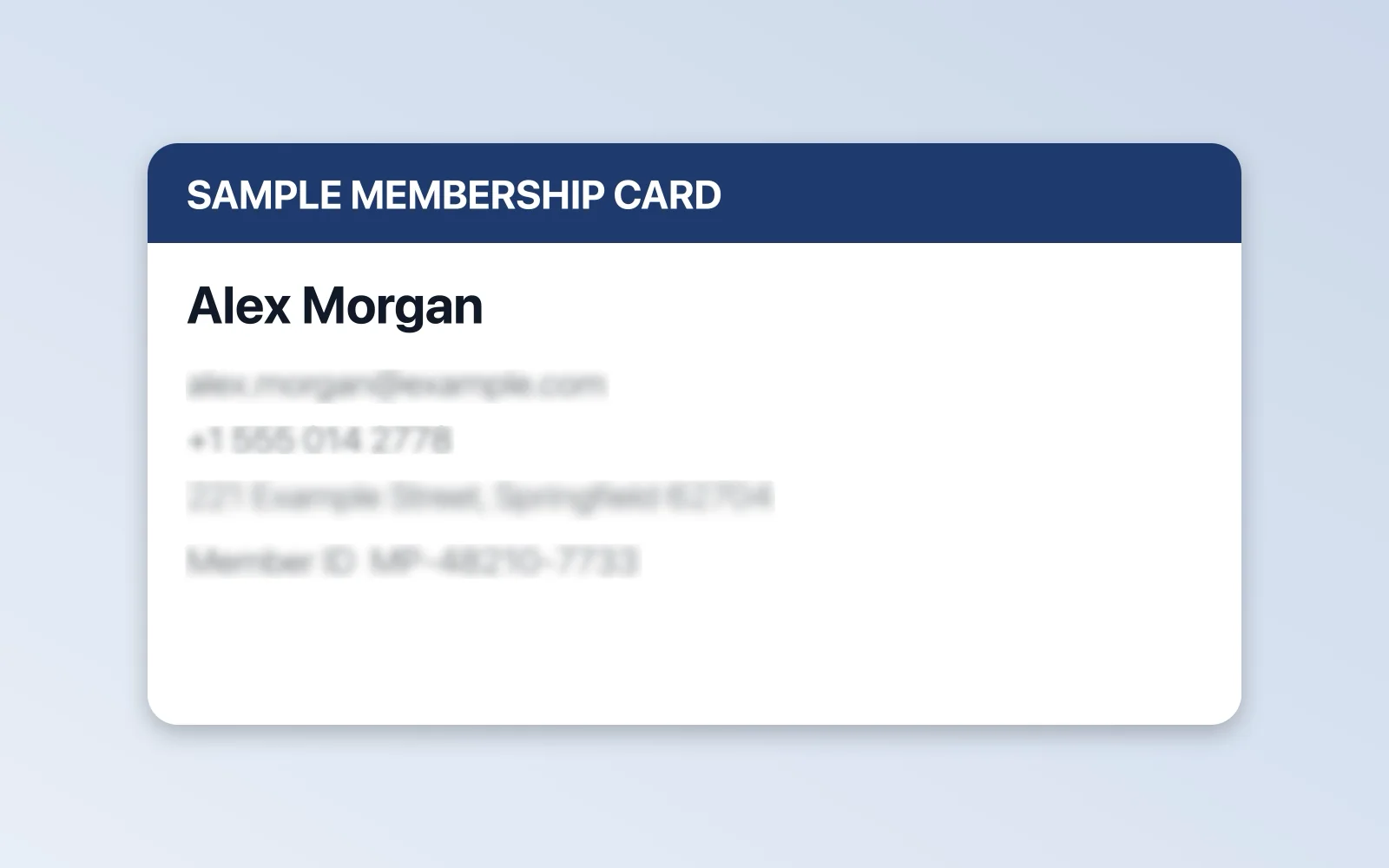 BeforeAfter
Convert, resize, compress, cut out backgrounds and automate — with the same privacy-first approach.
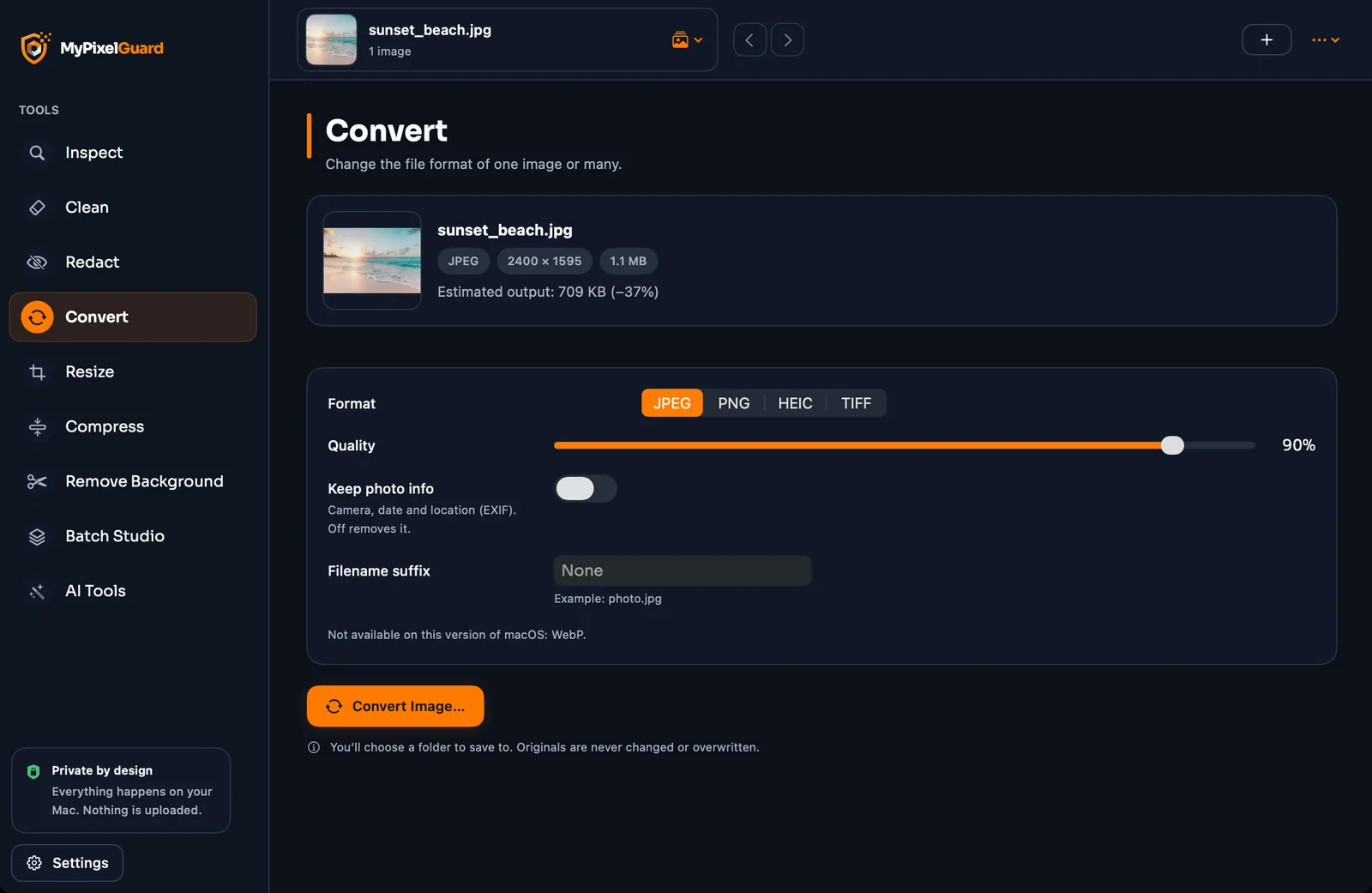
Switch between JPEG, PNG and TIFF — plus HEIC on Mac and WebP where supported — for one image or hundreds.
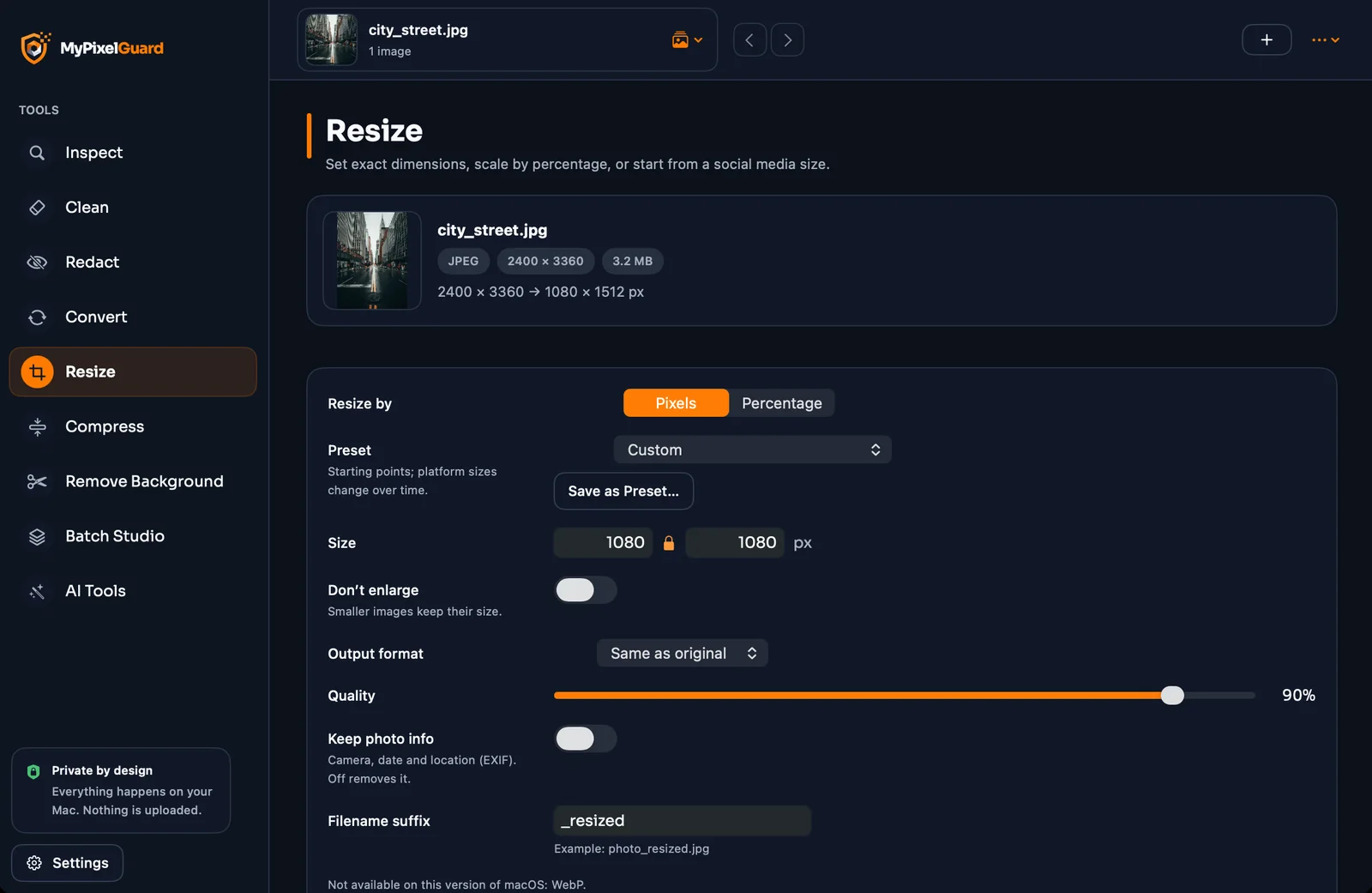
Type exact pixels or a percentage, keep the aspect ratio locked, and choose how the image should fit.
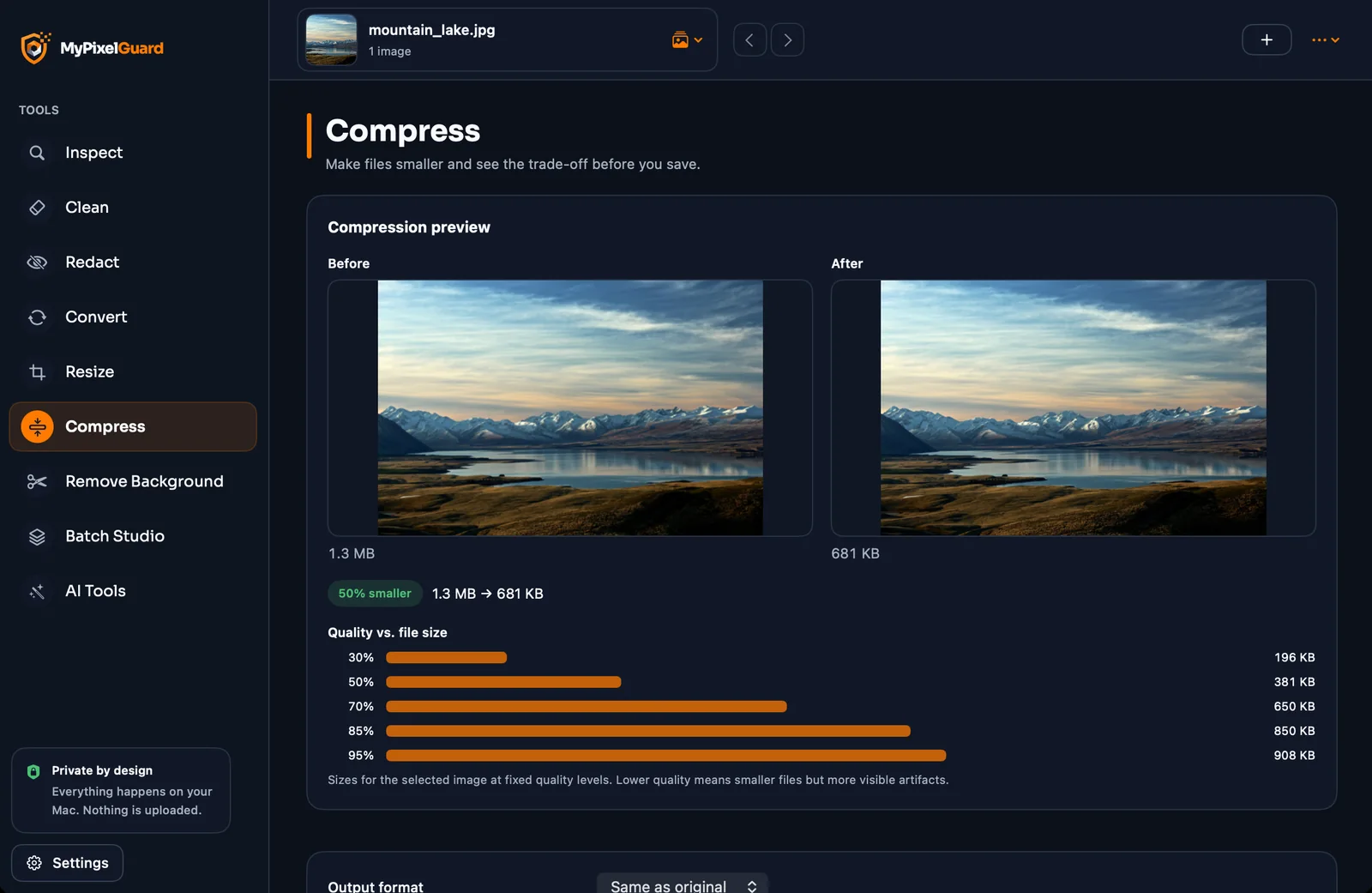
Slide the quality, compare before and after, and watch exactly how the file size changes.
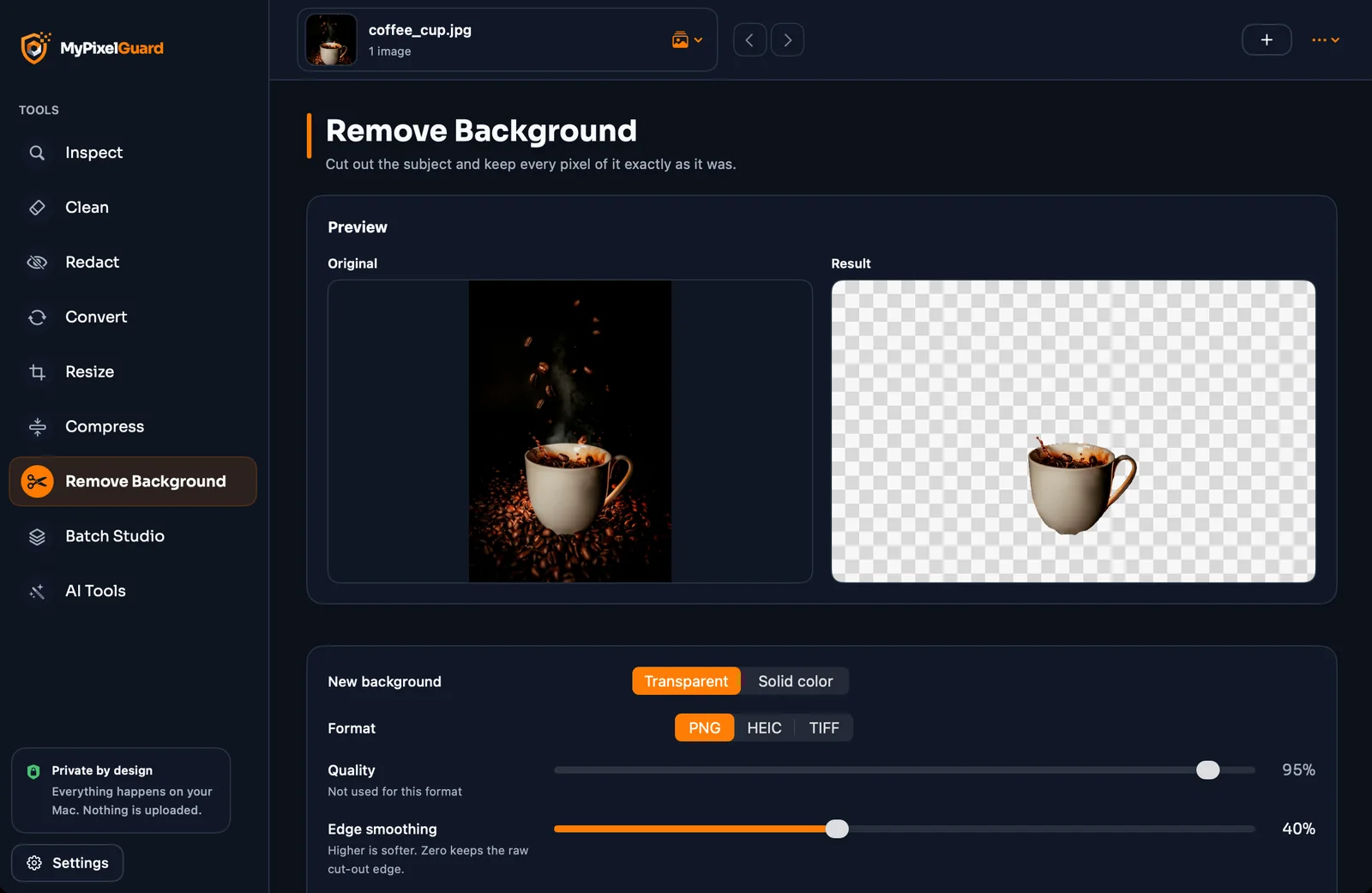
Cut the subject out. Only a transparency layer is added — the subject’s colours and resolution are never changed, and nothing is uploaded.
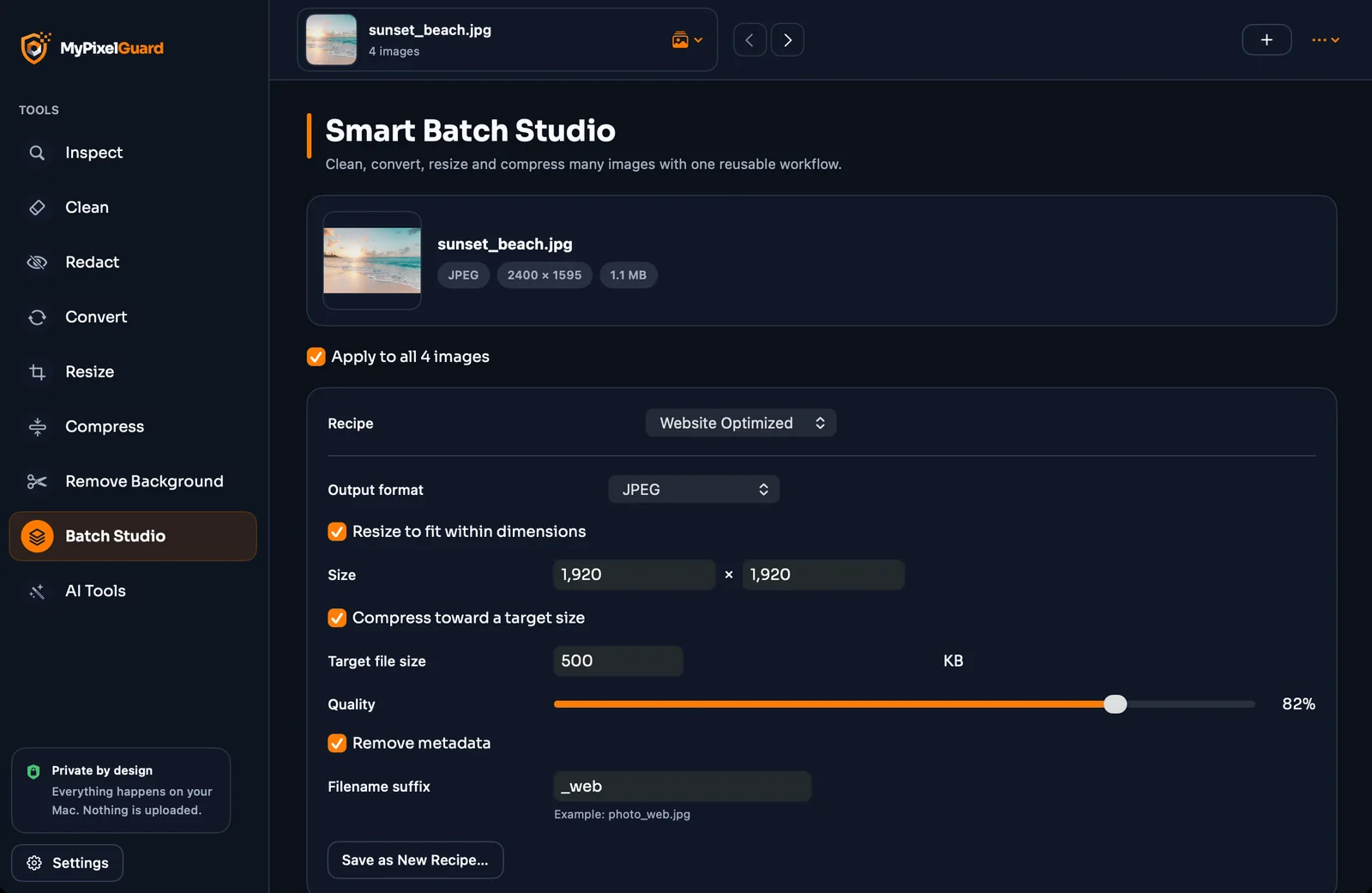
Build a reusable workflow once — resize, convert or compress, strip metadata, save, verify — then run it on any batch.
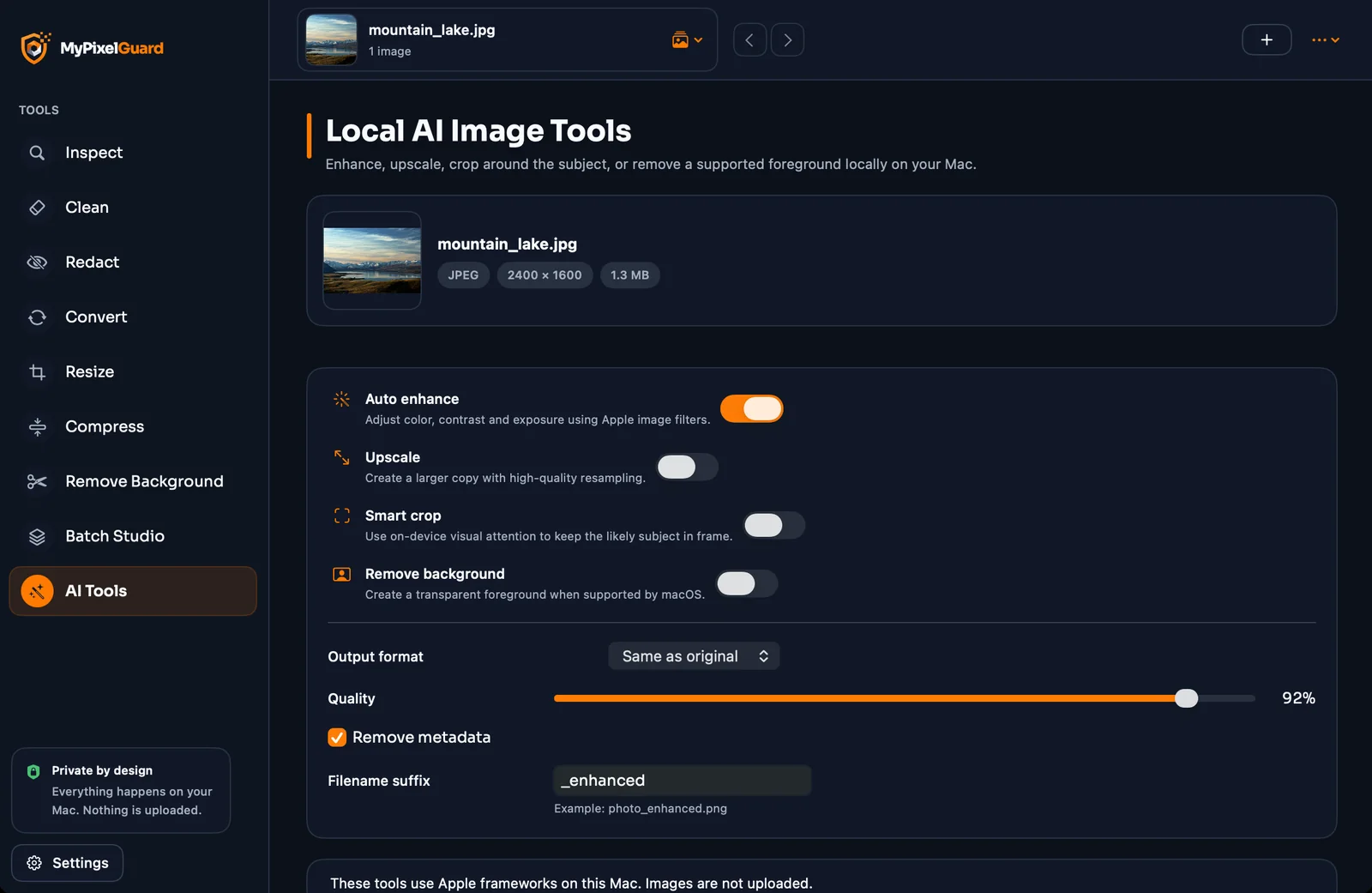
Enhance, upscale and smart-crop right on your device. No cloud, no upload.
Drag them in or choose them from your computer. Whole folders work too.
Inspect, Clean, Redact, Convert, Resize, Compress, Remove Background, Batch or AI — straight from the sidebar.
Check the preview, choose a folder, done. Your original stays exactly as it was.
Switch the whole app between English and বাংলা in Settings — friendly, natural wording in both.
MyPixelGuard has no cloud, no account and no network code. Detection, blurring, conversion — everything happens on your device.
Face, text and subject detection runs locally — Apple Vision on Mac, Windows text recognition and a small on-device model on PC.
Results go to a folder you pick; existing files are never overwritten.
Each saved file is read back to confirm it opens and the data is really gone.
Open the app and get to work.
No internet connection needed.
Sensitive removals, like Content Credentials, always ask for your confirmation first.
Honest limits. Removing metadata can't erase invisible pixel watermarks (such as SynthID), and automatic detection can miss things or mark the wrong area — always review before you share.
No. Everything runs on your device. The app contains no network code and works offline.
Never. Cleaned and redacted images are saved as new copies in a folder you choose, and existing files are never overwritten.
No. It removes metadata labels such as C2PA Content Credentials and AI tags in XMP/IPTC, but it can't remove invisible watermarks woven into the pixels.
A signed record embedded in an image that describes how it was made or edited. Platforms like Facebook and Instagram can read it to add labels. MyPixelGuard shows it and, with your confirmation, removes it.
JPEG, PNG and TIFF everywhere. On Mac you can read and write HEIC, and WebP where supported. On Windows HEIC can be read (when Windows has the codec) but not written.
No. MyPixelGuard only adds a transparency layer — the subject’s pixel colours and resolution are never changed, and PNG or TIFF are saved with no compression loss. How well the subject is detected depends on the photo, so check the preview before you save.
Good, but not perfect: it can miss information or mark the wrong area. That's why you can review every numbered region and see an exact preview before you export.
Macs running macOS 13 or later. It also runs on Windows 10/11 (64-bit). On Mac, Remove Background needs macOS 14.
English and বাংলা. Switch any time in Settings.
Download MyPixelGuard and see what your photos have been sharing.
macOS 13 or later · Windows 10/11 (64-bit)